AI 3D Product Rendering for Furniture Brands: Turn Your Catalog Into Photoreal, In-Room Visuals
Photograph a sofa once and you have one shot of one fabric in one room. Model it once, and you have every colorway, every angle and every setting — on demand. Here’s how 3D and AI product rendering actually work for furniture, where they help, where they don’t yet, and how to roll it out with Reviz.
Every furniture brand runs into the same wall. Your catalog isn't a list of products — it's a list of products times fabrics times finishes times configurations. One sofa in 12 fabrics and 3 leg finishes is 36 things to show. A modular system runs into the thousands — furniture maker Inside Weather told The New York Timesit offers “tens, and soon hundreds of millions of combinations.” You cannot photograph your way out of that math.
So brands compromise. They shoot the hero fabric and rely on flat swatches for the rest. They ship a sofa to a studio, style a set, shoot it, and then a season later the fabric supplier changes and the shot is dead. Meanwhile the customer is left guessing whether the piece fits their room — and when they guess wrong, it comes back.
AI 3D product rendering is how furniture brands stop compromising. Model the product once; generate the imagery forever. This guide covers what it is, the economics, the technical formats you'll touch, how AI rendering differs from traditional CGI, and — honestly — where the technology is still catching up. Then we'll show what's possible today inside Reviz.
What is 3D product rendering?
3D product rendering is the process of producing a photoreal image of a product from a digital 3D model instead of a camera. You build (or scan) a 3D model of the piece, give it realistic materials and lighting, place it in a scene, and the software renders it into a finished image. Because the product only exists as data, you can re-color it, re-angle it, re-light it and re-stage it as many times as you like — no physical sample, no studio.
For a furniture brand, four related capabilities usually get bundled under this umbrella, and it's worth separating them:
| Approach | What it produces | Best for |
|---|---|---|
| Product photography | Real camera shots of a physical sample | Absolute material truth on your hero SKUs |
| Traditional CGI / 3D rendering | Physically simulated photoreal images from an exact model | Dimensional accuracy, exact color, reusable assets |
| AI (generative) rendering | Predicted photoreal images from a rough model, sketch or photo | Speed, lifestyle scenes, concepts, variations |
| Product configurator / AR | Live, customizable 3D on the product page and “view in room” | On-site engagement and buyer confidence |
These aren't rivals — most mature furniture brands use several. The interesting shift in the last two years is that AI rendering has collapsed the setup cost of the middle two, which is what puts photoreal visuals within reach of brands that never had a CGI budget.

Why furniture brands specifically need it
Three forces make furniture a near-perfect fit for 3D rendering: the imagery is expensive to produce, the catalog multiplies faster than any studio can shoot, and the stakes on “will it fit” are unusually high.
The photography math stops working at scale
A styled furniture shot typically runs $100–$500+ per image once you add a photographer, stylist, set and studio time, according to industry product-photography pricing guides. That's per angle, per setting — and crucially, per variant. Change the fabric and you shoot again. Furniture makes it worse: you're crating and freighting bulky samples to a studio, not slipping a shirt onto a mannequin.
3D flips the variant problem. Once a model exists, a new colorway is a material swap. Published CGI pricing puts a rendered product variation at around $2 each — versus re-staging a physical shoot. The upfront cost moves to building the model (a sofa model runs roughly $200–$450 at specialist 3D studios), but that cost is paid once and amortized across every image, variant and channel forever.
Better visuals sell more and come back less
On the returns side, the logic is direct. Reverse-logistics on a bulky item is expensive — processing one returned large furniture piece can run $55–$90 once you count freight and damage, several times the cost of returning apparel. When the top return reasons are “didn't fit” and “color was off,” imagery that shows the real piece, in a real setting, in the actual fabric is not a nice-to-have. It's return prevention.
4 things furniture brands can do with Reviz today
Reviz is an AI interior-design and rendering workspace, and for furniture brands it collapses several of the workflows above into one place. Here's what's live now — and, where a feature is still maturing, we say so.
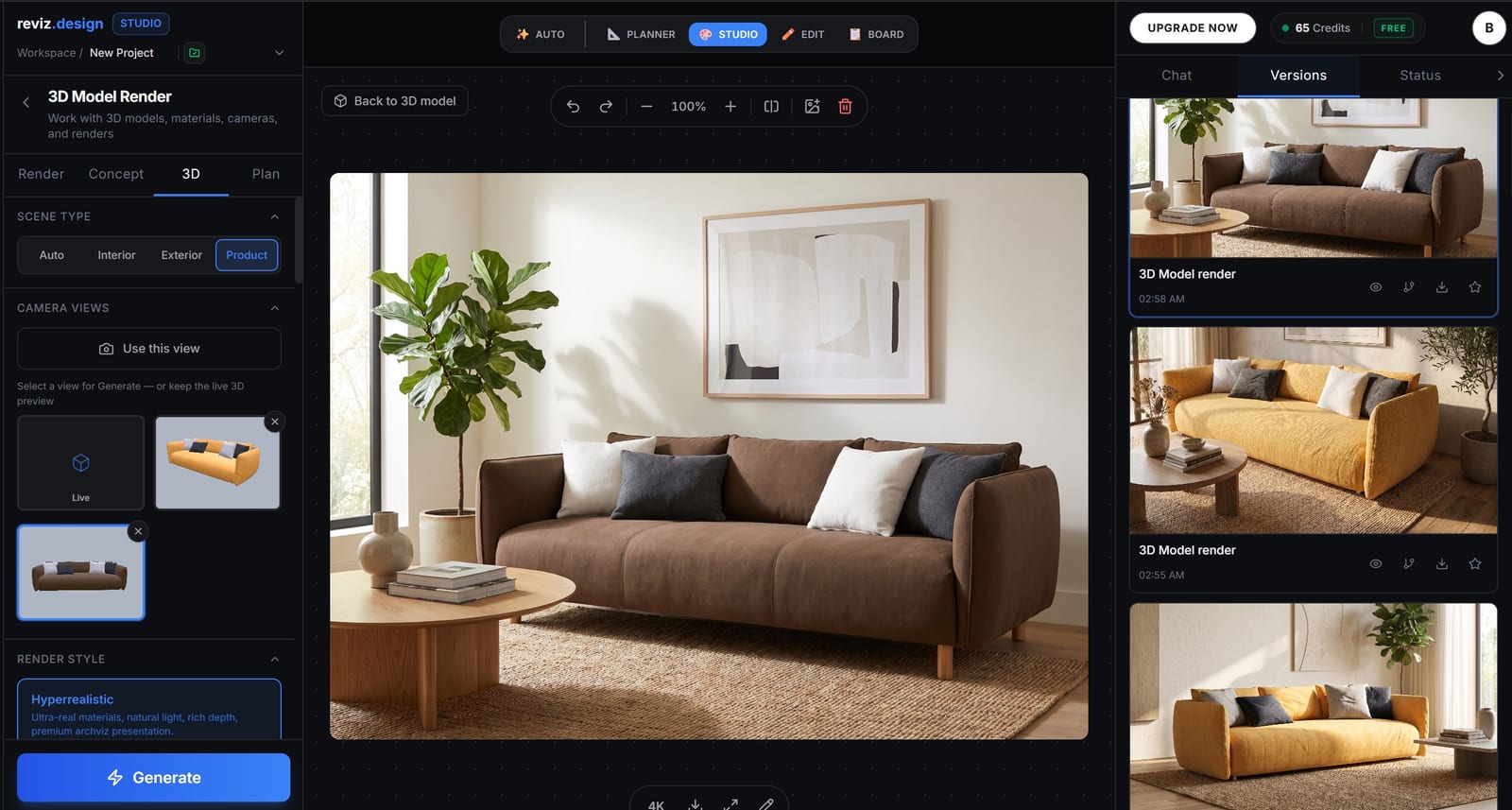
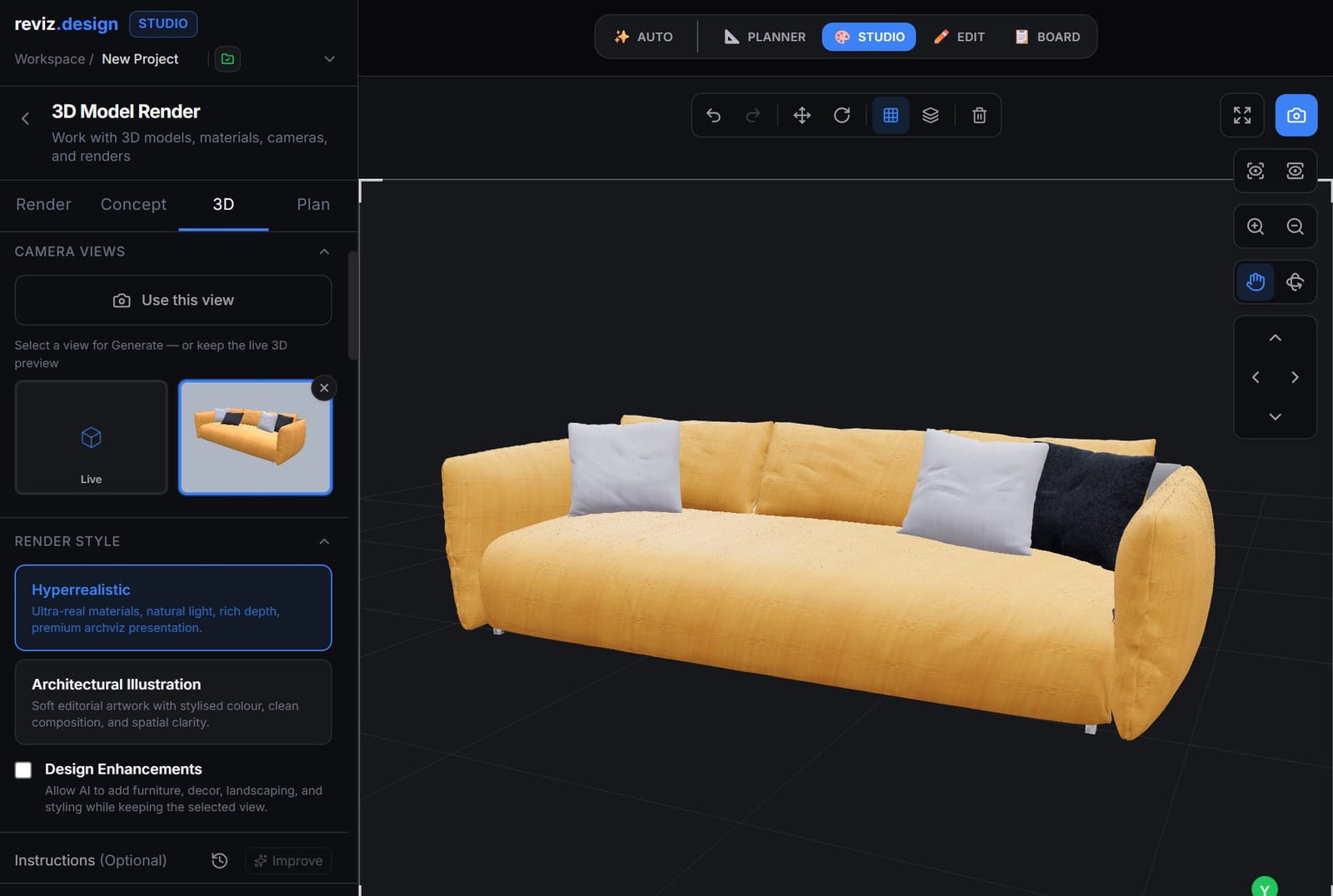
1. Turn a 3D model into a photoreal render
If you already have product models — and most brands have something, even if it's engineering CAD — you can upload them and get photoreal imagery out. This is the core 3D model to render workflow: your model defines the exact shape, and Reviz supplies the materials, lighting and setting. Reviz accepts the common mesh formats (GLB, OBJ, FBX, STL, PLY, DAE, 3DS and more), so a model exported from your 3D or CAD pipeline becomes a render without a separate CGI studio in the loop. Set the scene, lighting and materials; generate; then push realism with the built-in Realism Boost and upscale to 8K for print or hero placements.

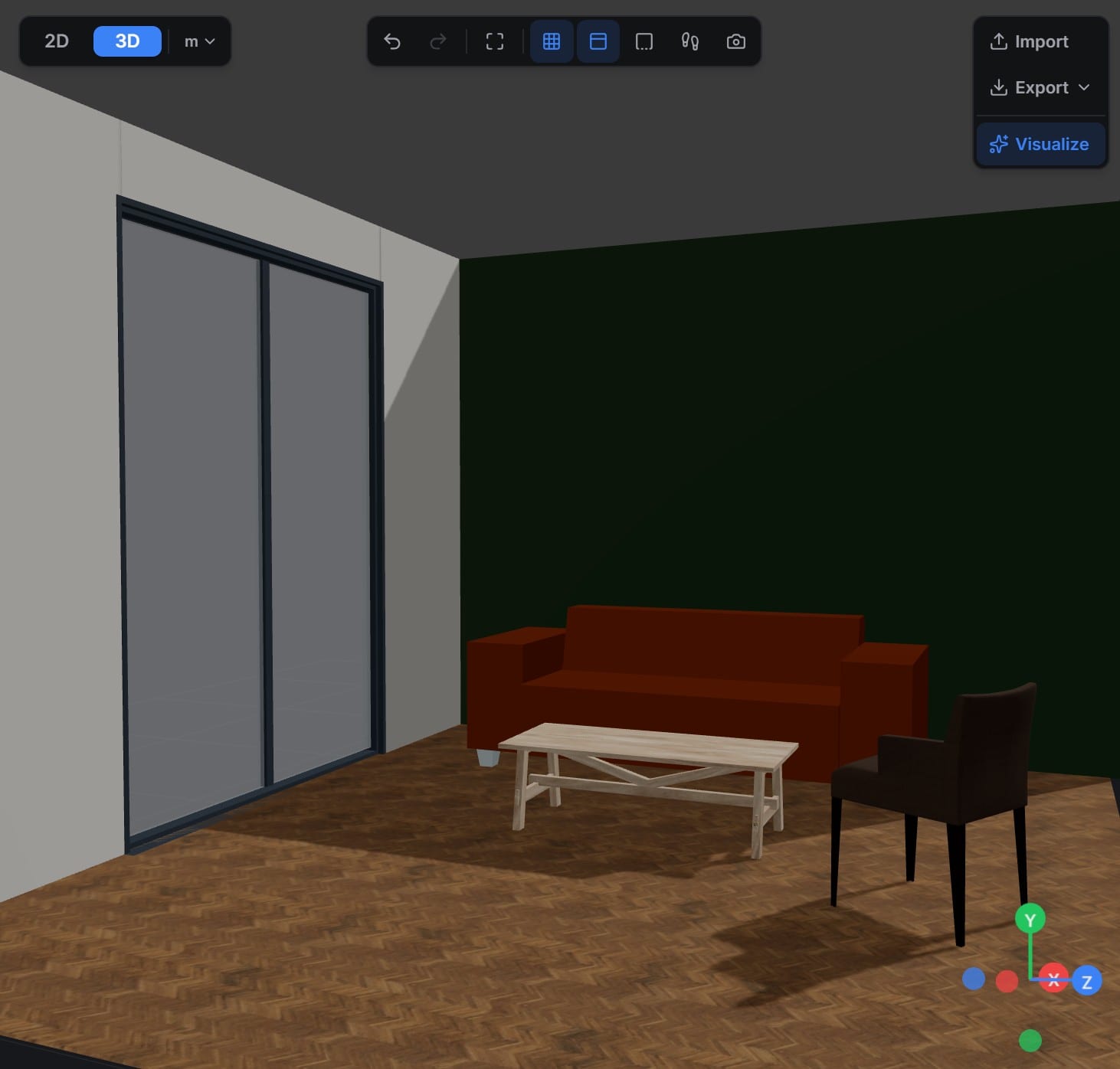
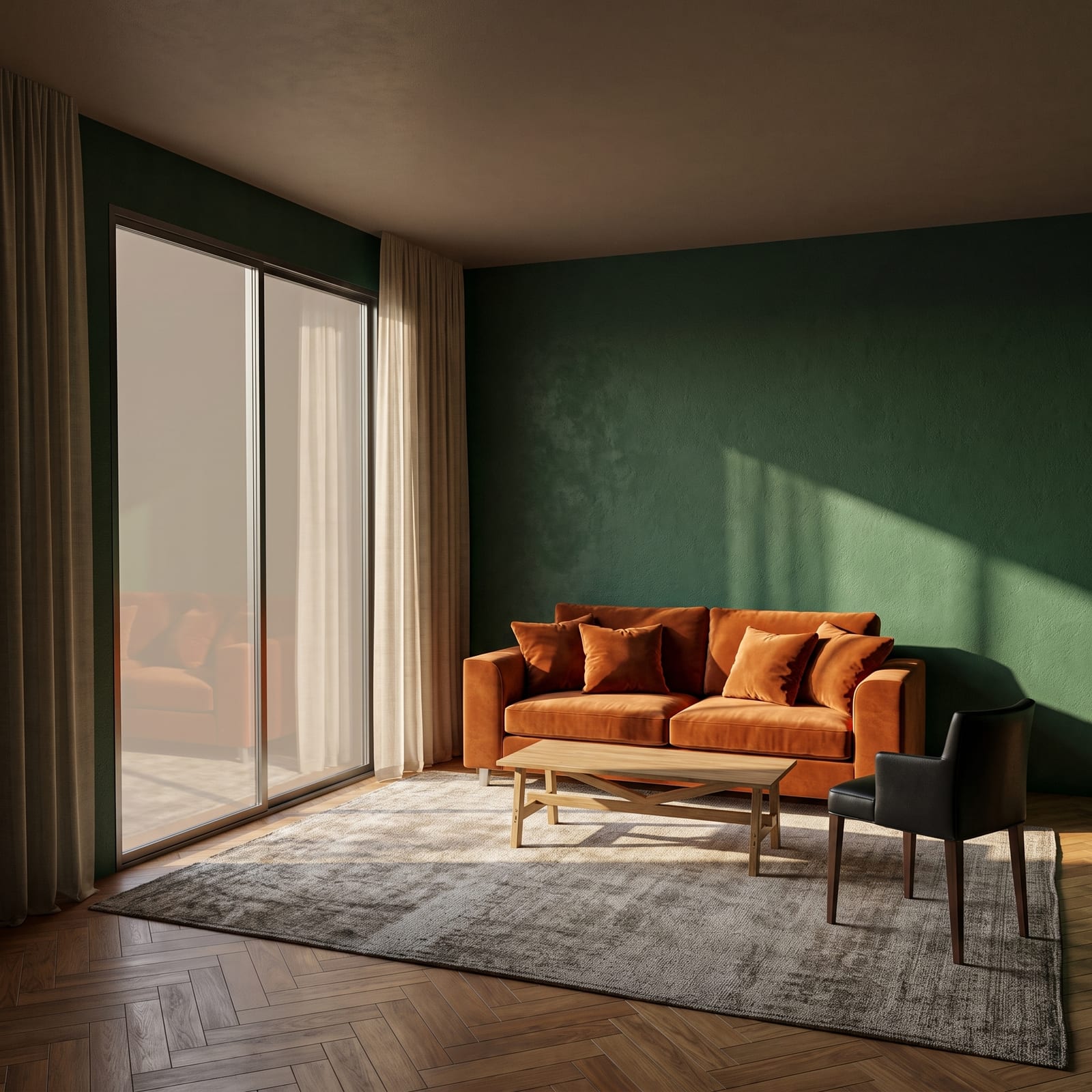
2. Load your catalog into the planner and place products in real client projects
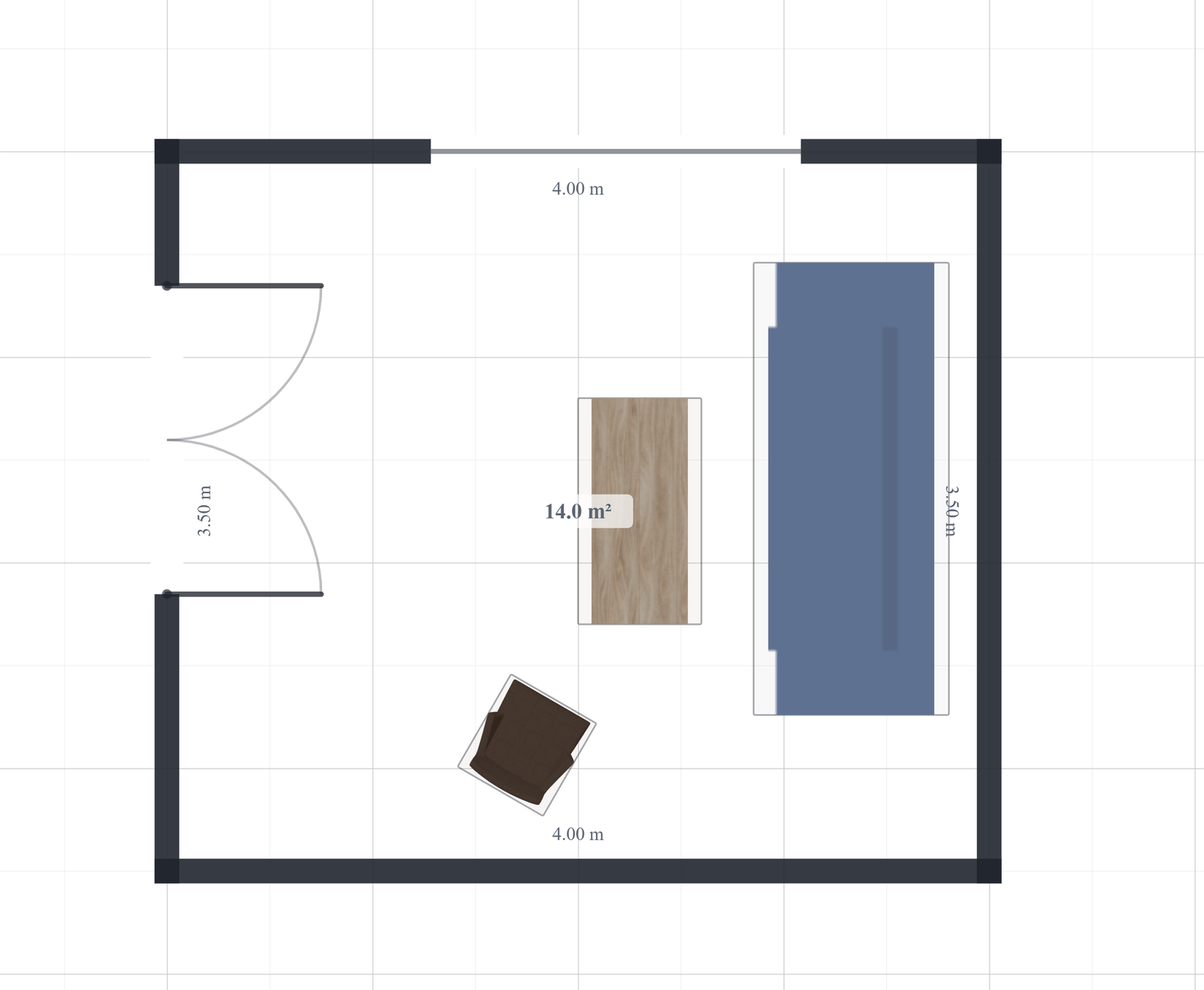
This is the part built specifically for brands and their dealers. Instead of rendering products in isolation, you can bring your catalog into the Reviz 2D/3D planner — draw or import the floor plan (including DXF), then place your actual products into the space. Because the planner works in real dimensions, a specifier or dealer can lay out a client's room with your pieces and see the result rendered photoreal. It turns a furniture catalog from a static PDF into a planning tool that closes projects.
3. Drop your product into any room photo
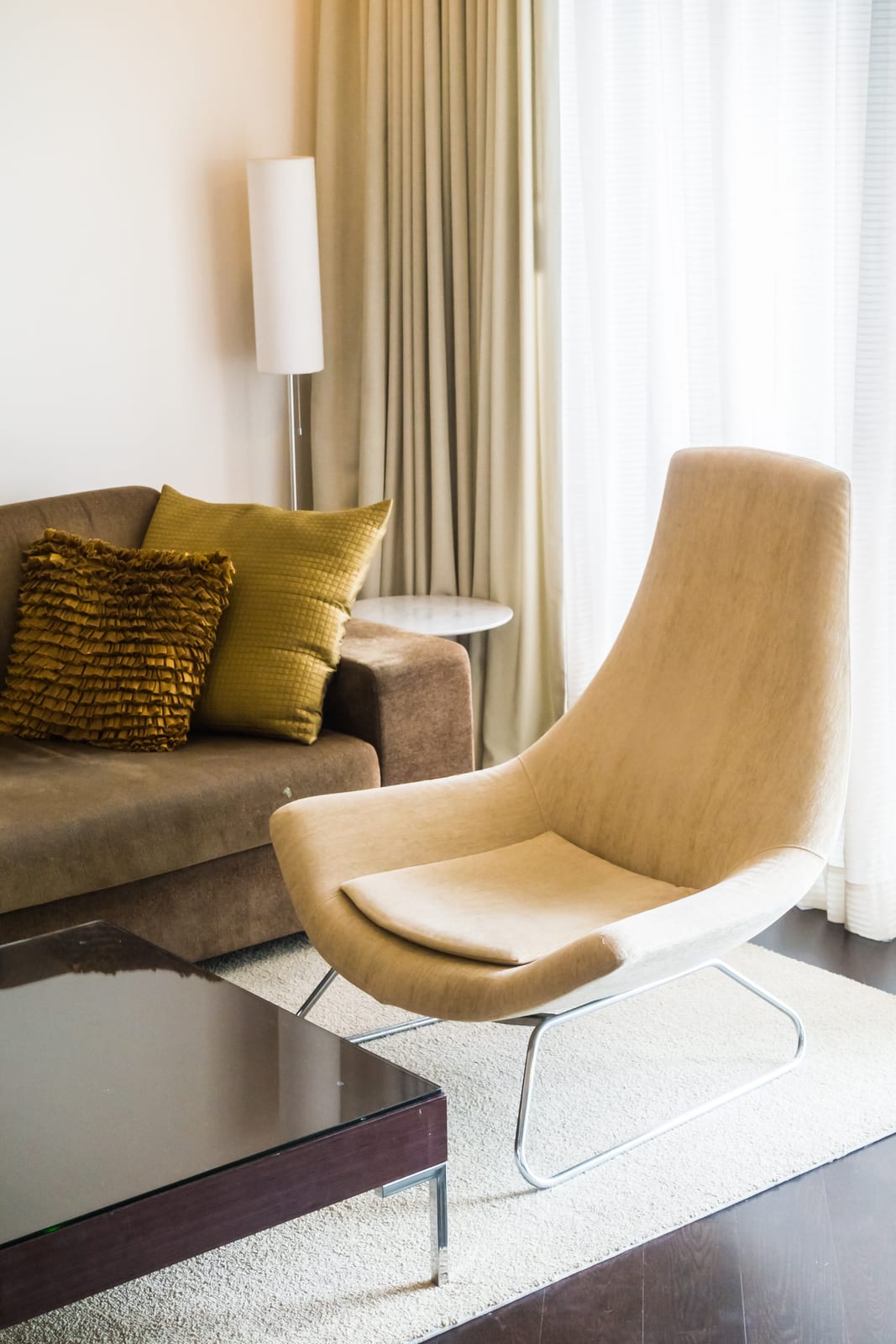
Sometimes you don't need a full plan — you need one lifestyle image, fast. With product staging and Magic Edit, you can take a product image and place it into an existing room photo (studio, lifestyle or outdoor scene), then blend lighting and shadows so it sits naturally. Perfect for social, campaign concepts and quick “here's your piece in a real space” visuals.

4. Generate your own marketing & catalog imagery
Beyond client work, the same workspace is a marketing image engine for your brand. Spin up campaign visuals, seasonal settings and colorway variants of your own products; build an AI Material Board or Moodboard to lock a look; and produce consistent sets for the website, lookbook and ads — without booking a shoot for every idea.


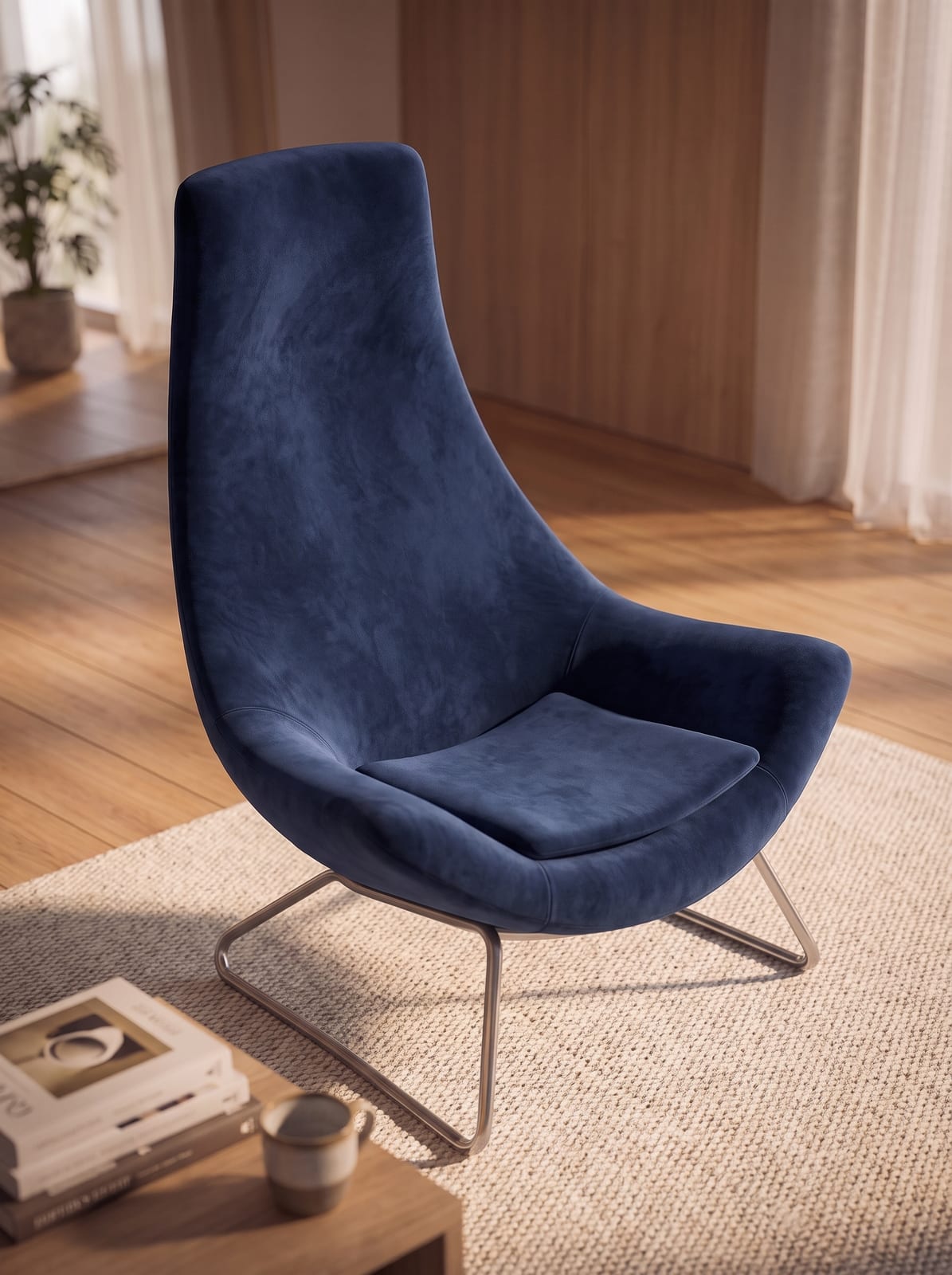
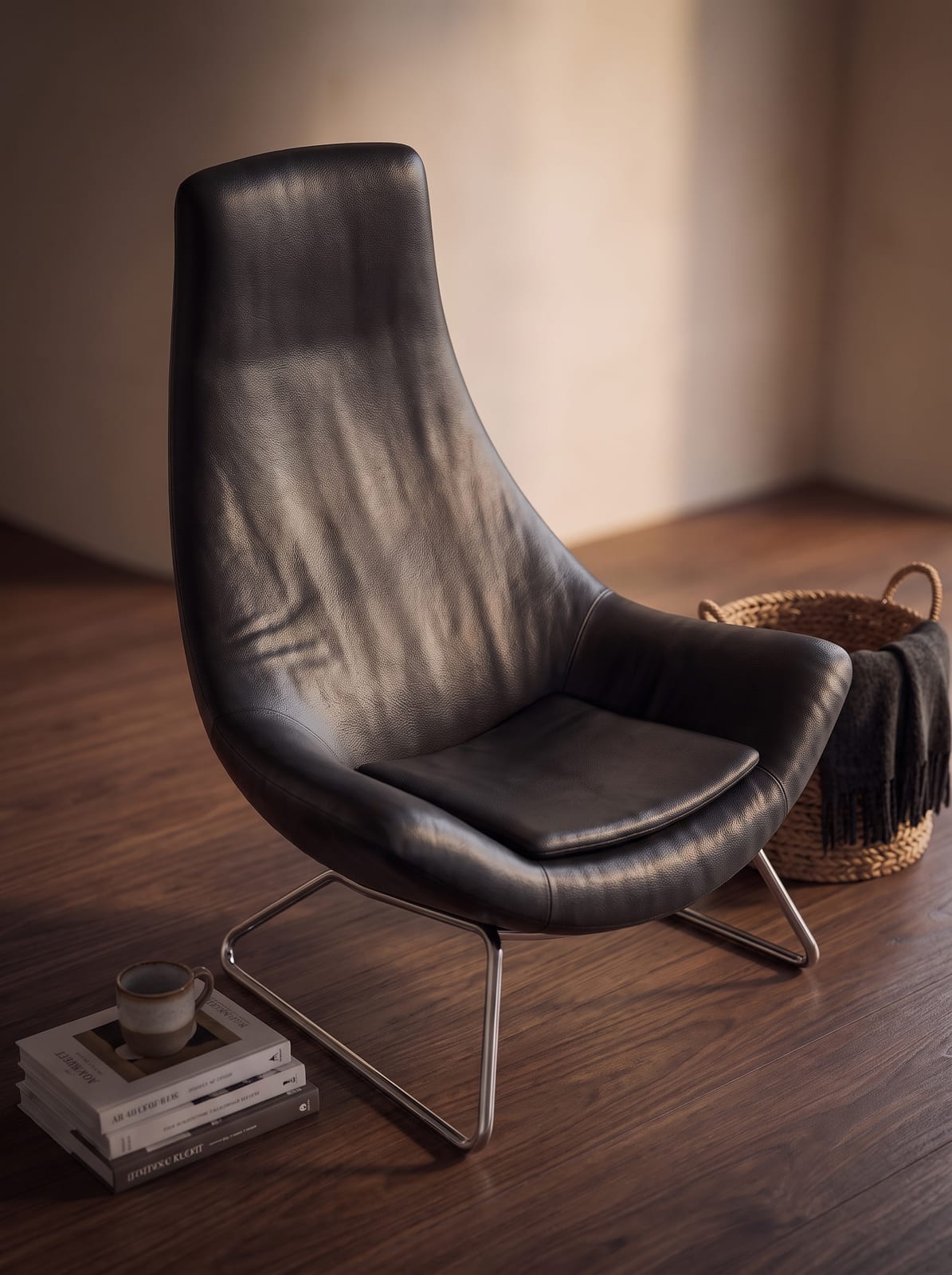
And every colourway is just a material swap — no reshoot per fabric.
The technical side: formats and materials that matter
You don't need to be a 3D artist to run this, but a working grasp of two things — file formats and materials — will save you real money and rework.
3D file formats, in plain terms
The format you hand a rendering tool determines whether it arrives with usable materials or as bare geometry you have to re-dress. The practical hierarchy for furniture:
| Format | What it is | PBR materials? | Use for |
|---|---|---|---|
| GLB / glTF | Open, compact “JPEG of 3D”; bundles mesh + materials + textures in one file | Yes (native) | The default hand-off for web, AR and rendering |
| USDZ | Apple's AR format; opens in “view in room” on iPhone/iPad with no app | Yes | iOS augmented reality |
| OBJ (+MTL) | Old, universal geometry format | No (legacy materials only) | Lossless geometry interchange |
| FBX | Autodesk format, strong for rigging/animation | Partial / needs remapping | DCC-tool interchange |
| STL | Raw triangle mesh, surface only | No | 3D printing — poor for rendering |
| STEP / DXF | CAD formats with exact dimensions, no materials | No | Engineering source; convert to mesh first |
The takeaway for a furniture brand: if your models come from engineering as STEP or DXF, they carry accurate dimensions but no look — someone has to tessellate them into a mesh and author materials before they render well. If you're commissioning new models, ask for GLB/glTF, because it travels cleanly into web, AR and rendering tools. Reviz imports DXF floor plans plus the common mesh formats (GLB, OBJ, FBX, STL and others), so most existing assets have a path in.
Why materials matter more than polygons
Here's the counter-intuitive part: realism comes far more from materials and lighting than from geometric detail. Modern rendering uses PBR (physically based rendering) materials, which describe a surface by how it actually responds to light. A handful of texture maps do the work:
- Base color / albedo — the true surface color, with no baked-in shadow.
- Roughness — how sharp or blurry reflections are; this single map is what makes matte linen read as linen and a glass tabletop read as glass.
- Metallic — whether a surface is metal (brass legs) or not (wood, fabric, leather).
- Normal map — fakes fine surface detail (wood grain, leather pores, fabric weave, stitching) without adding polygons, keeping files light enough for web and AR.
- Ambient occlusion — soft self-shadowing in seams, tufting and contact points.
A moderate-poly sofa with an accurate leather PBR set and good lighting will read as photoreal; a heavy, high-detail model with flat or physically wrong materials looks like plastic. So when you invest, invest in good materials and lighting first. It's also why AI rendering is such a leap — it supplies convincing materials and light automatically, which is exactly the expensive, skilled part of traditional CGI.
AI rendering vs traditional CGI: what's actually different
They reach a photoreal image two completely different ways, and knowing which to use when is the difference between a tool that helps and one that embarrasses you in front of a client.
Traditional CGI is deterministic. You build exact geometry, author materials, place lights, and the renderer simulates light physically— tracing how it bounces to compute accurate shadows, reflections and global illumination. It's fully controllable and repeatable, but slow to set up and render.
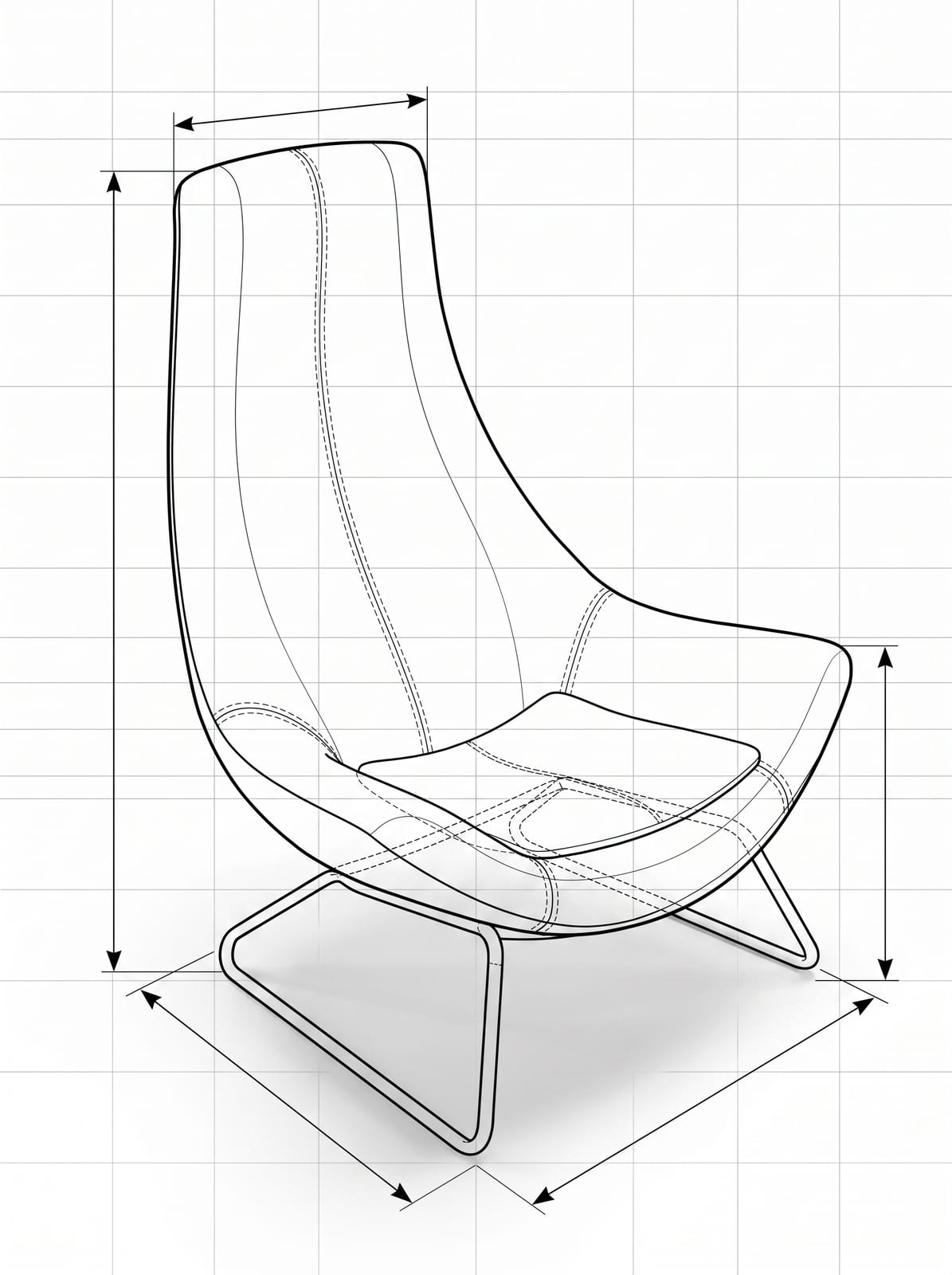
AI (diffusion) rendering is predictive.A model trained on billions of images generates a photoreal picture from a rough input in seconds — it doesn't compute light, it predicts pixels that look right. Plain text-to-image would ignore your product's real shape, so the useful technique is structure-preserving (layout-locked) generation: the tool derives a depth, edge or segmentation map from your 3D model or sketch and uses it to constrain the output (the approach popularized by ControlNet). The silhouette, perspective and layout stay put while the AI paints realistic materials, lighting and setting on top. That's how Reviz can take a rough model, a sketch or a photo and return something photoreal fast.


The measurement question: photo placement vs the planner
This deserves its own section because it's where a lot of “put my product in a room” tools quietly mislead buyers — and where the planner earns its keep.
A single 2D room photo has fundamental scale ambiguity.From one still image, with no motion and no reference object, absolute size is mathematically unrecoverable — a small object nearby and a large object far away can project to identical pixels. It's why an entire field of monocular-depth research exists just to estimatescale from single images. So a “drop this sofa into a photo of my living room” feature has to guess how big the sofa is relative to the room. It can look completely plausible and still be wrong about whether a 220 cm sofa clears a 240 cm wall.
Live AR — the “see furniture in your room” feature in AR furniture apps — does better, because moving the camera plus the phone's motion sensors recover real-world scale, though it's still subject to drift and plane-detection error on plain or reflective surfaces.
A floor-plan planner sidesteps the guesswork entirely.When the room's real measurements and the products' real dimensions are both known, the software isn't inferring anything — it's doing deterministic geometry. That's why a planner can make hard claims a photo tool can't: exact clearances, traffic paths, and precisely how many units fit. For a dealer laying out a client's space with your catalog, that's the difference between “this looks nice” and “this works, and here's the order.” Use photo placement to inspire; use the planner to specify.
How to roll AI 3D product rendering out (without boiling the ocean)
You don't need to model your entire catalog on day one. The brands that get value fast tend to sequence it like this:
- 1.Start with your top sellers.Model or gather 3D assets for the 10–20 SKUs that drive most revenue. That's where imagery and returns matter most.
- 2.Standardize on GLB/glTF. Whether you build in-house or commission, ask for glTF so assets travel into web, AR and rendering without re-work.
- 3.Nail materials first. Get accurate PBR materials for your core fabrics, woods and finishes — that library pays off across every future render.
- 4.Generate the everyday imagery in Reviz. Catalog shots, colorway variants, lifestyle scenes and social visuals — the high-volume work that used to mean a shoot.
- 5.Put the catalog in the planner for sales. Let your team and dealers lay out real client rooms with your products and hand over photoreal, spec-able proposals.
- 6.Reserve photography for what needs it. Keep the camera for a few color-critical hero shots; let 3D cover the combinatorial long tail.
Onboarding a small group of furniture brands and dealers — upload once, plan spaces with your products, and render them photoreal.
Frequently asked questions
What is 3D product rendering?
It's creating a photoreal image of a product from a 3D model rather than a camera. The model is given realistic materials, lighting and a scene, then rendered to an image. One model can produce unlimited angles, colorways and in-room lifestyle shots without photographing the physical piece.
Is 3D product rendering cheaper than furniture photography?
Usually, once the model exists. Styled furniture photos run $100–$500+ per image plus styling and logistics, and each new fabric means another shoot. In 3D, a variant is a material swap that can render for a couple of dollars — so the savings compound with every SKU and colorway.
How is AI rendering different from traditional CGI?
CGI simulates light physically from an exact model — accurate and controllable but slow. AI rendering predicts a photoreal image from a rough model, sketch or photo in seconds, guided by the model’s structure so the shape is preserved. AI wins on speed and lifestyle imagery; CGI (or AI locked to a real model) wins on dimensional accuracy, exact color and consistent reusable assets.
Can customers see how furniture fits in their room before buying?
Yes, but the method matters. Dropping a product into a single room photo looks convincing but can't guarantee exact scale, because one 2D image has no reliable size reference. Reviz planner that uses real room and product dimensions can — it calculates clearances and exactly how many units fit.
What 3D file formats do I need for Reviz?
GLB/glTF is the practical standard because it bundles geometry, materials and textures in one file and travels into web, AR and rendering tools. OBJ, FBX and STL are common too. CAD formats (STEP, DXF) carry exact dimensions but no materials and are usually converted to a mesh first. Reviz imports DXF floor plans and common mesh formats including GLB, OBJ, FBX and STL.
Do I need existing 3D models to start?
It helps, but it isn't required for everything. Reviz 3D Model-to-render needs a 3D asset; product staging and adding a product to a room photo can start from a product image. Many brands begin by staging existing product shots while they build 3D models for their top sellers.